


FCA Product Sales Data XML Reporting Software
XML reporting software for firms that need to prepare, validate and generate Product Sales Data reports for FCA RegData submission.
















XML is complex. Your reporting doesn’t have to be.

Generate compliant PSD XML reports
Create Product Sales Data XML reports aligned to the required FCA RegData schema, helping your team produce compliant reports for submission.
Populate reports from your data
Import Product Sales Data from Microsoft Excel or relational databases to reduce manual input, improve consistency and speed up recurring FCA RegData reporting.
Work from clear reporting templates
XML Authority turns Product Sales Data schemas into structured, user-friendly templates so your team can review, complete and reuse reporting data with confidence.
Validate before you file
Check Product Sales Data reports against the relevant XML schema to identify missing fields, formatting issues and structural errors before creating the final XML file.
See how XML Authority helps your team prepare, validate and generate compliant Product Sales Data XML reports for FCA RegData.
See XML Authority in 5 Minutes
Watch how XML Authority turns complex regulatory XML schemas into structured reporting templates, ready to populate, validate and export.
PRODUCT SALES DATA XML SCHEMAS.
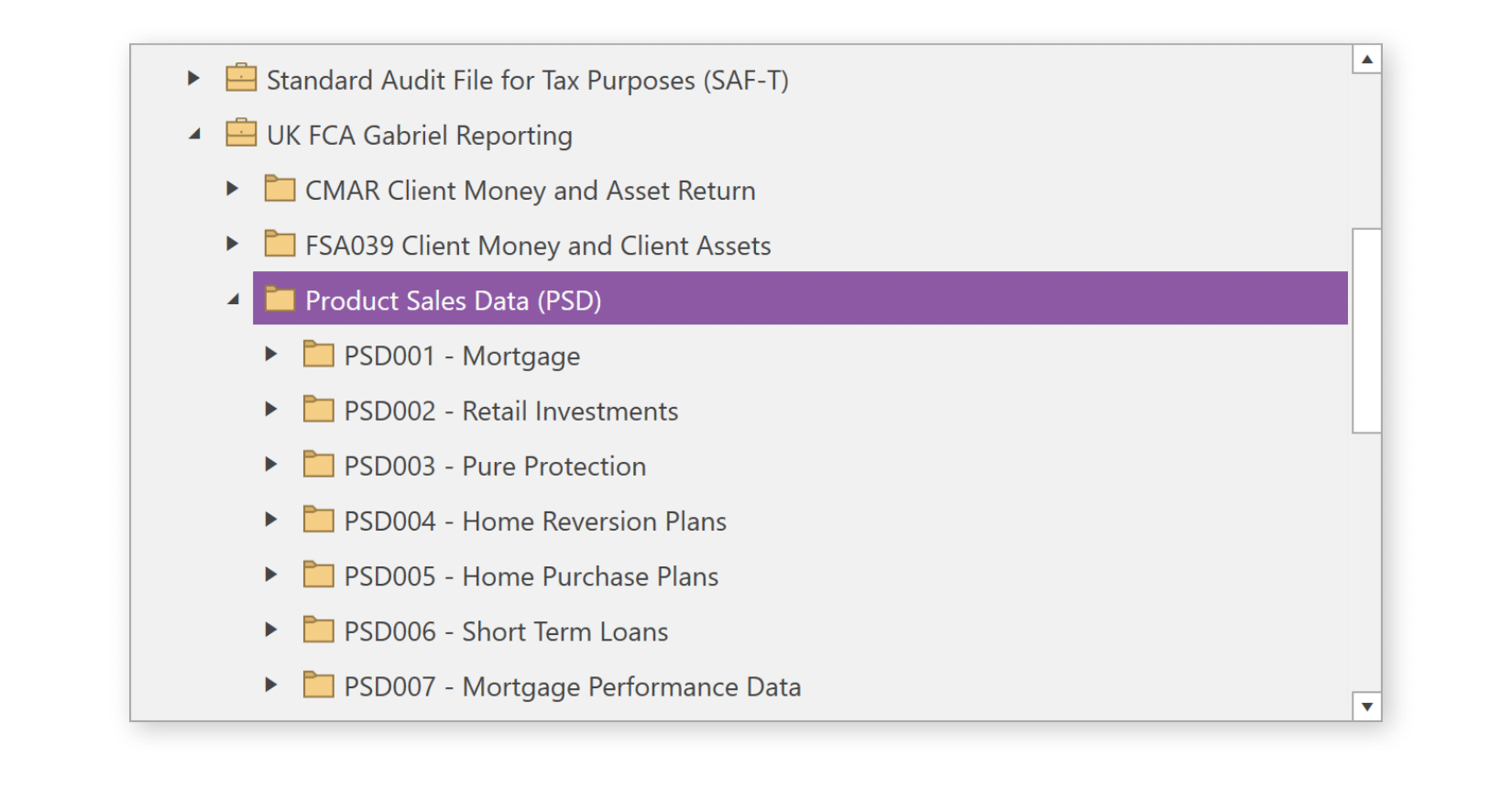
XML Authority’s schema library contains all Product Sales Data XML Schemas:
- PSD001 – Product Sales Data – Mortgage
- PSD002 – Product Sales Data – Retail Investments
- PSD003 – Product Sales Data – Pure Protection
- PSD004 – Product Sales Data – Home Reversion Plans
- PSD005 – Product Sales Data – Home Purchase Plans
- PSD006 – Product Sales Data – Short Term Loans
- PSD007 – Product Sales Data – Mortgage Performance Data
- PSD008 – Product Sales Data – Credit Agreement Sales
- PSD008a – Product Sales Data – Credit Agreement Back-book
- PSD009 – Product Sales Data – Credit Agreement Performance
HOW DOES IT WORK?
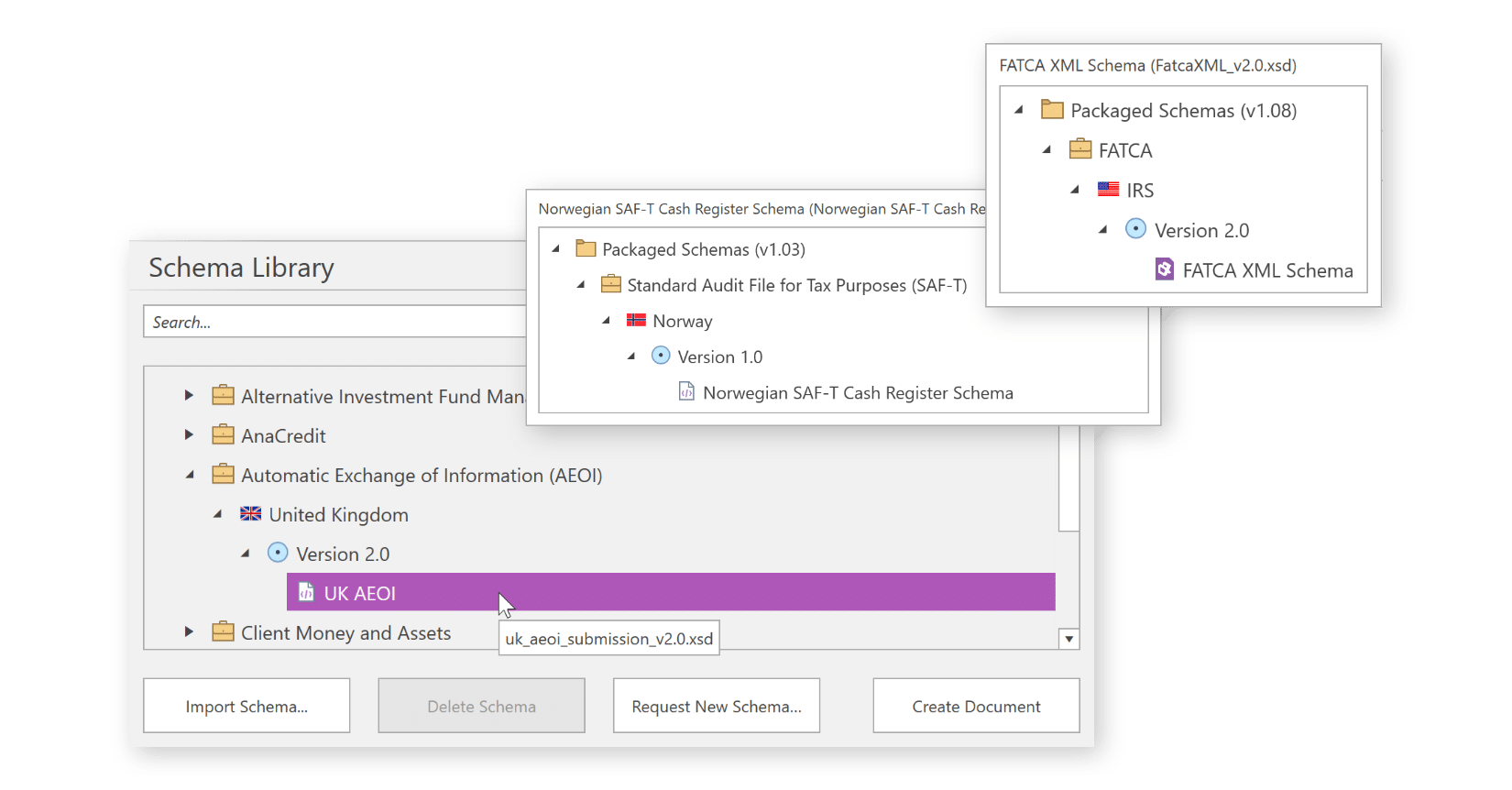
1. Select your reporting framework
Choose a framework from our comprehensive Schema Library or import your own schema.
2. Create your reporting template
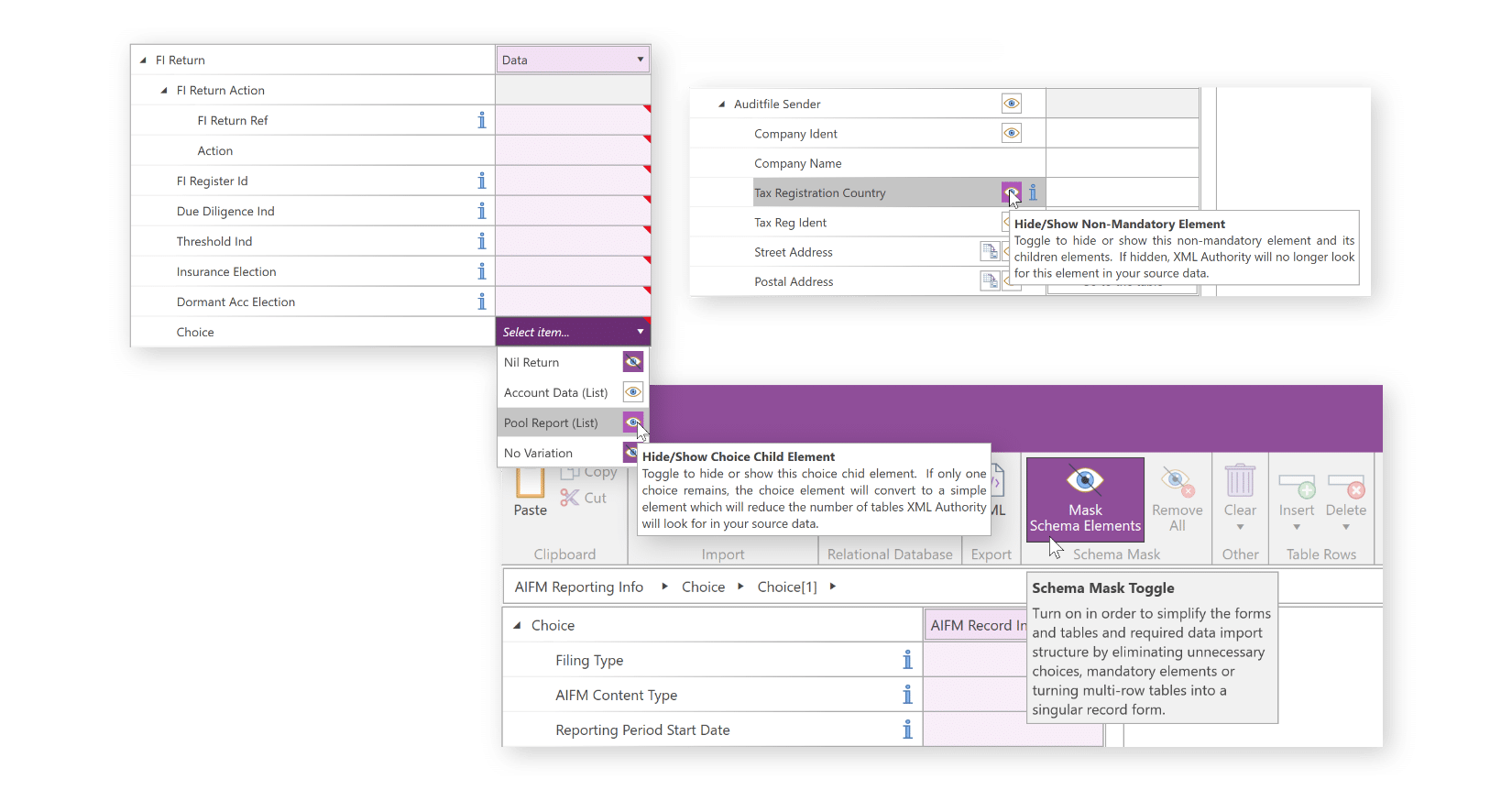
Schemas are presented as easy to interpret forms and tables. Mandatory fields are highlighted and guidance is available throughout the schema.
You can modify the structure of the schema and remove non-mandatory fields to match the structure of your data and create a reporting template to be used across reporting periods.
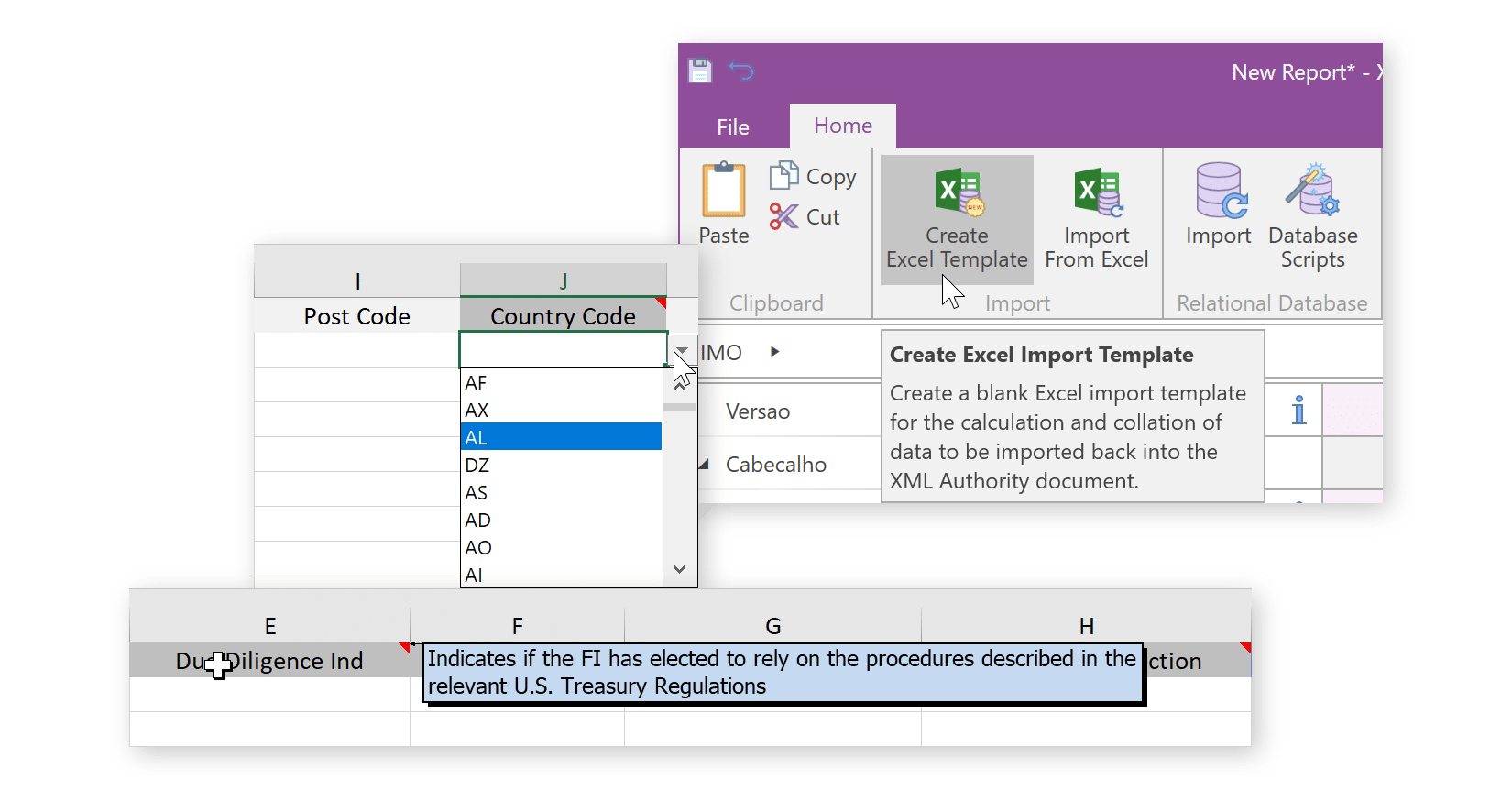
3. Link Directly To Data In Excel or Relational Databases
Create Excel import templates or a set of related tables in a relational database to automate the population of data in XML Authority.
4. Validate to ensure acceptance of submission
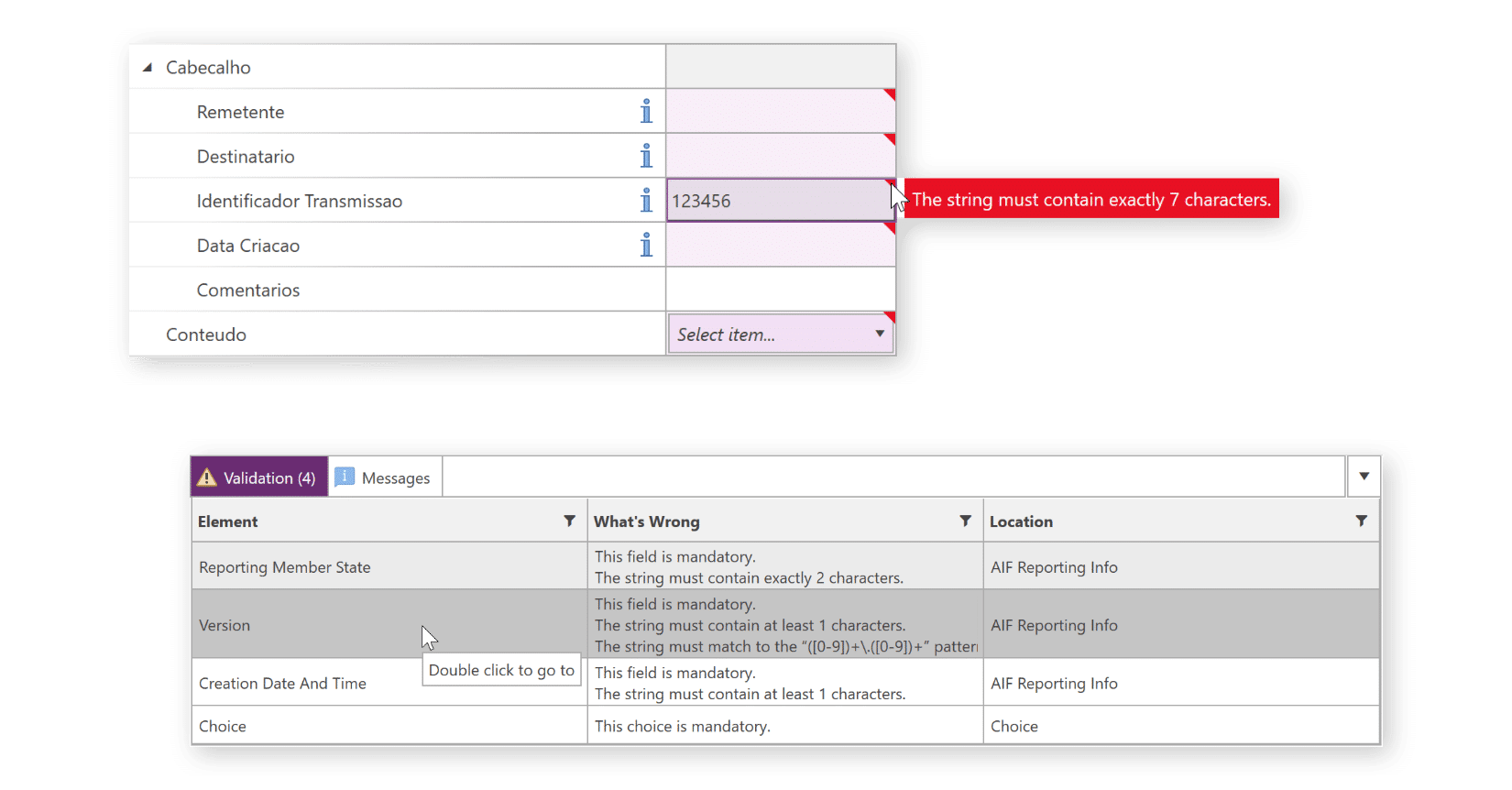
XML Authority’s interactive validation messages direct you right to the cause of any data issues that could cause the rejection of a submission.
REQUEST A DEMO:
- Seeing the software operate is the best way to understand how it works.
- We can answer any questions for your specific requirements.
- Together we can assess how our solution will work for you.